Working with me online

What you keep from every session.

Most of the training happens between sessions. So each session is written down, recorded, and kept in one place, and the week's assignment stays visible until the next one.

01 · The brief

Every session, written up

After every session you get a written brief in your space: what you found, what it means, and what you do next. It is written from the session itself, in the words you actually used. Not a template.

02 · The recording

Rewatch any part

The full video recording of every session, linked from its brief. Useful when, a week later, you remember that we covered something but not exactly how.

03 · Guided practice

Recorded for you

When your practice changes, the guided version is recorded for you personally, at the length you will actually use. It sits in your space with its own audio player, next to the sheet that explains the practice.

04 · This week

One focus at a time

Each session sets the week: the main practice, the warm-up, and what to do on court while you play. It stays on the first screen of your space until we meet again, so you never have to reconstruct it from memory.

The space itself

Four places. The first one is today.

The first screen shows three things: what you do today, what we agreed in the last session, and how the week is going. Everything else is one tap away.
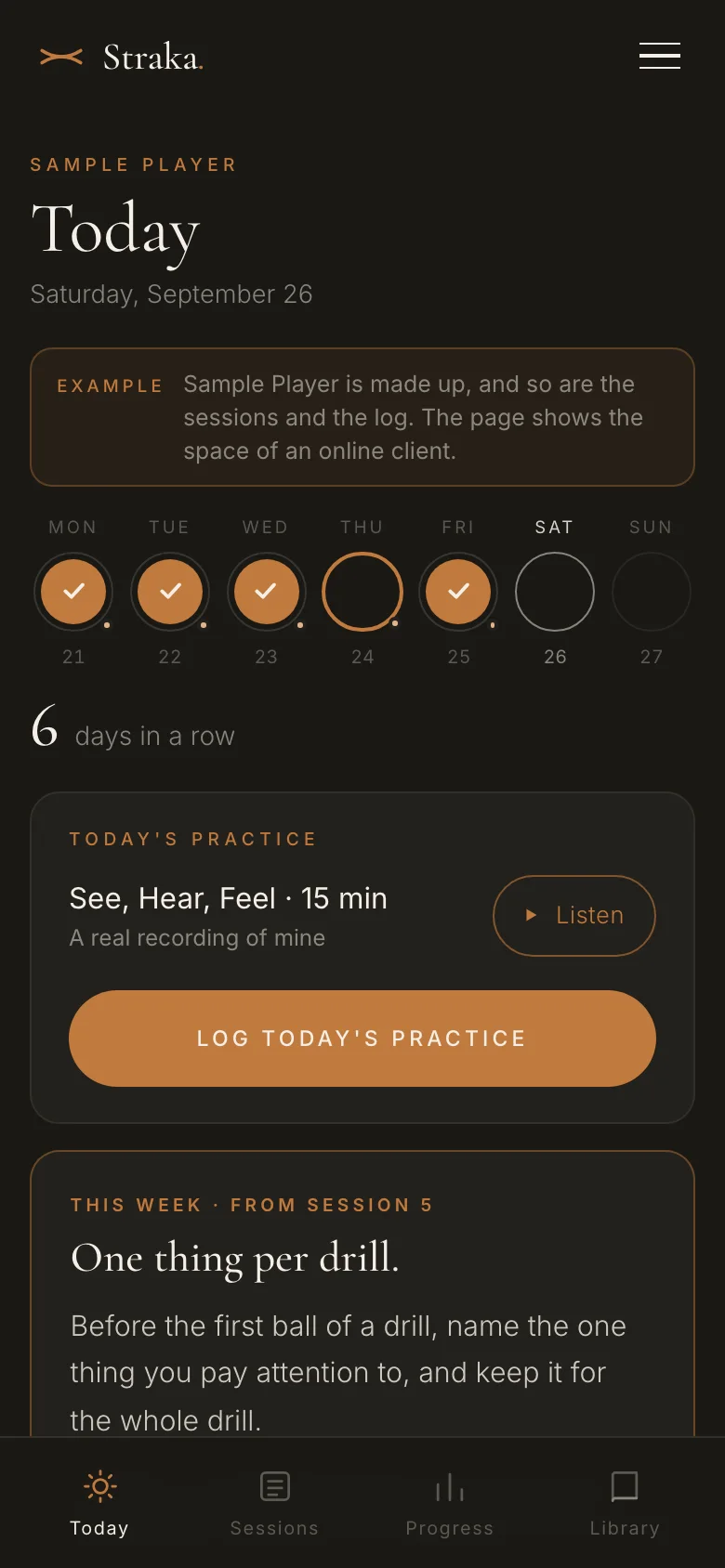
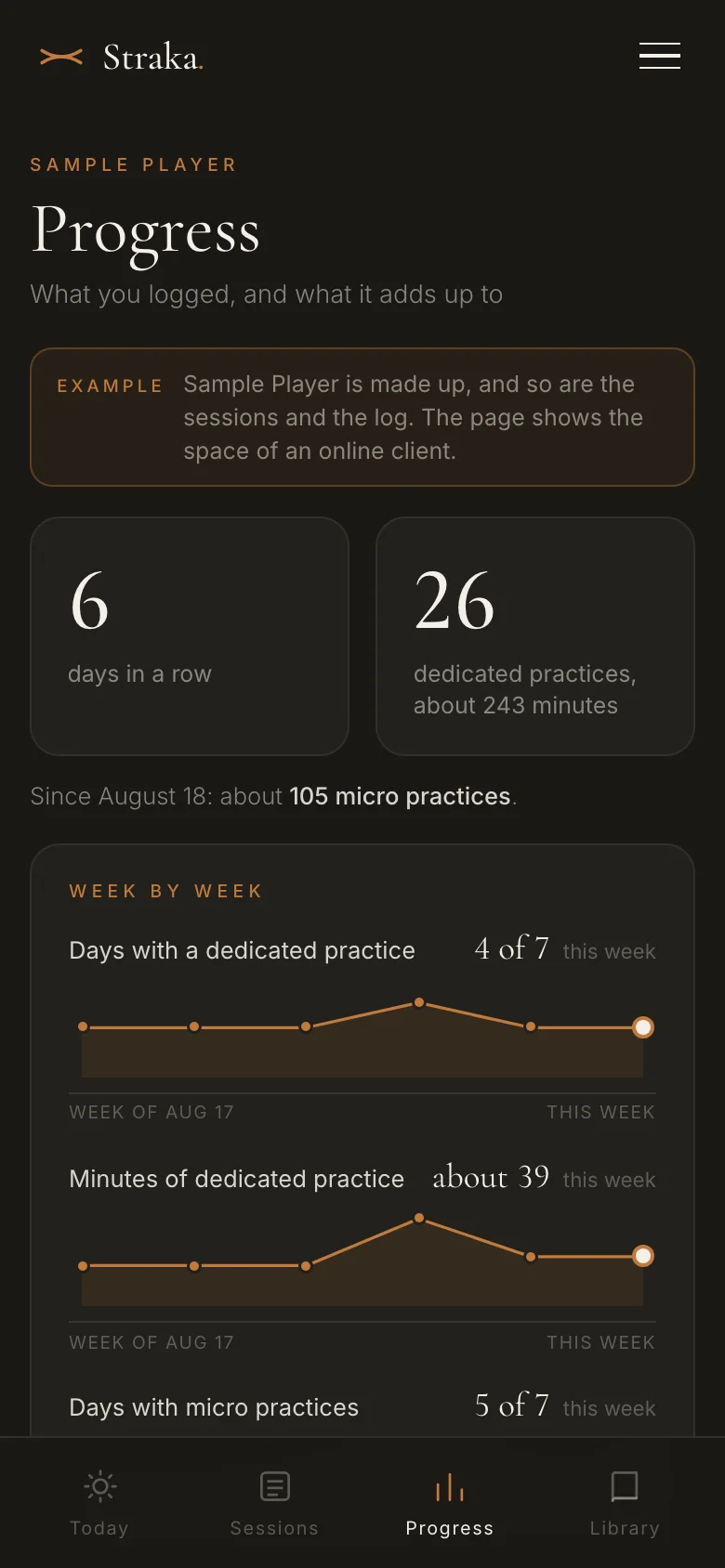
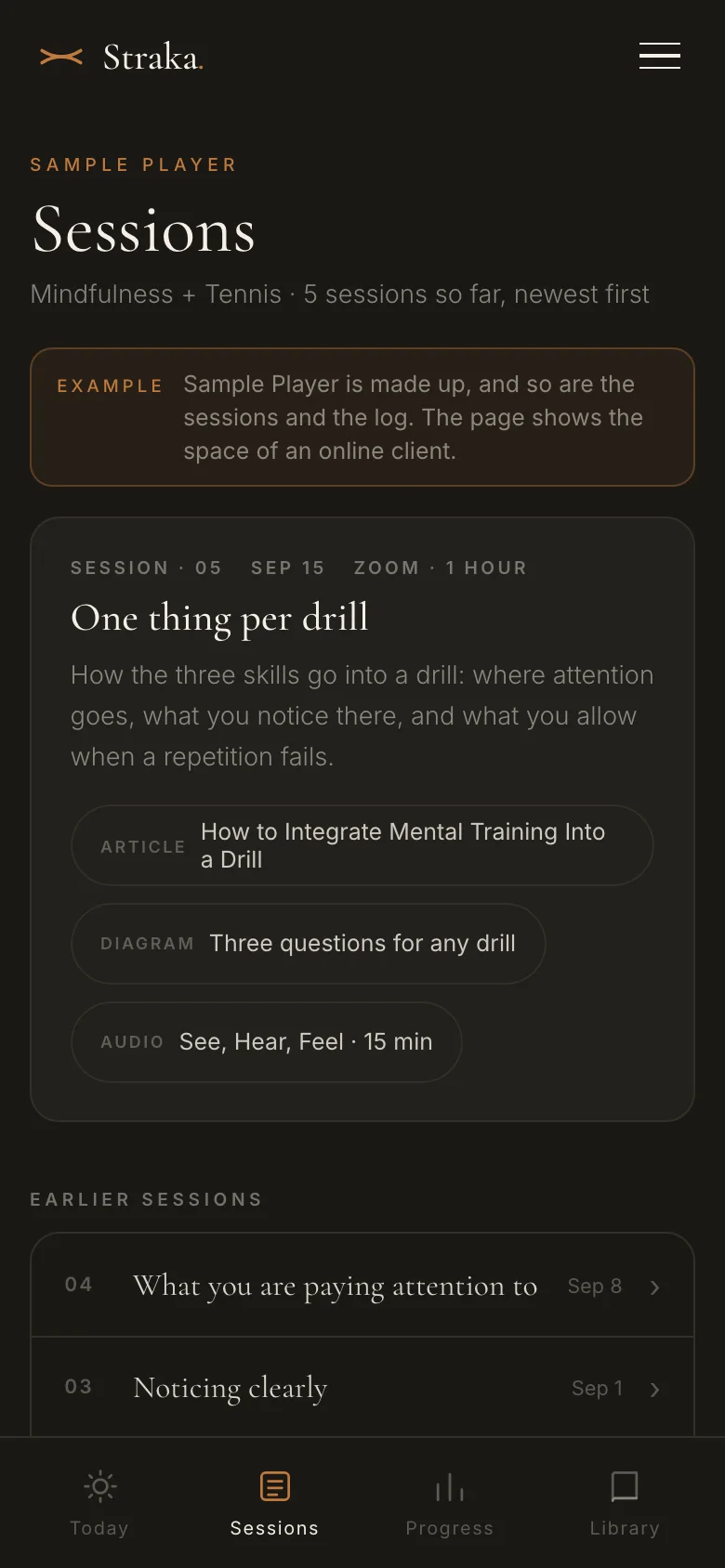
Today in the example: the week as seven circles, today's guided practice with its player, the button that logs today's practice, and the assignment for the weekToday Progress in the example: days in a row, and the weeks as graphsProgress Sessions in the example: the newest session with what came with it, and the earlier sessions as rowsSessions

Three screens of the public example. Sample Player is made up.

01 · Today

The practice for today

The week as seven circles, the practice for today, and the assignment from the last session. One button logs the day: the minutes of dedicated practice, and how many micro practices.

02 · Sessions

Every session, newest first

Every session as its own page, with its recording and what came with it. The newest one is open, the earlier ones are one tap each.

03 · Progress

What you logged, as graphs

Your days in a row, the weeks as graphs, and the month as a calendar. You can ask a question about your own log, and the answer comes from what you logged.

04 · Library

Everything to play or read

Every guided practice, sheet, diagram and reading from your sessions, each with the session it came from.

What you log between sessions is what the next session starts from.

Not a client yet?

Open the example.

A public example is part of this site. It is the space a client has, with a made-up player in it. No password, nothing to sign up for, and nothing you tap is saved.

Open the example → Get in touch
Active client?

Log in with the password we set up.

Log in →